Oakland Psychiatric Facility Controls
Proximity chat, /ooc, /advert, movement, keycards, laptops, and interaction basics.
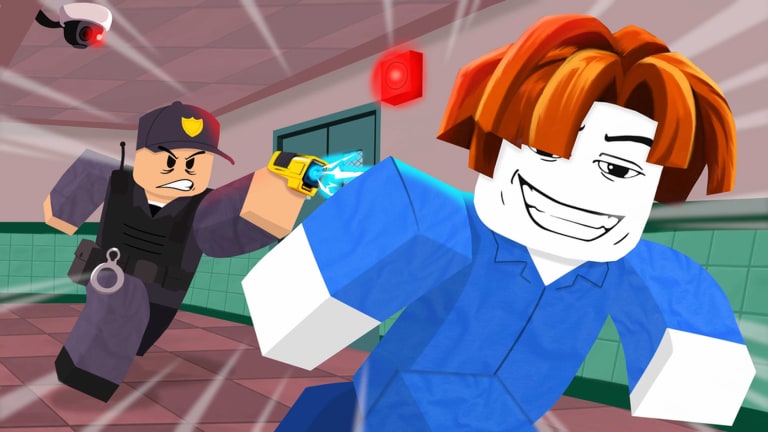
Oakland Psychiatric Facility runs on clear communication and simple interactions more than on a huge custom keybind sheet. This Controls guide covers proximity chat, the /ooc and /advert commands called out on the official game description, standard Roblox PC movement, and the facility systems you will click every session—keycards, doors, lockdowns, and laptops. Read it beside Getting Started on day one.
Proximity chat (default RP voice)
OPF features proximity chat: you talk to people near you. That design choice drives almost every good scene. Stand close for therapy whispers, Visitor talks, cuff instructions, and medical directions. Shouting plans across a courtyard hands free intel to Security—and that is fair game because your character actually said it.
Practical habits:
- Face the person you are treating or cuffing so they can read emotes and hear you.
- Step away before long
/oocexplanations so you do not flood a tense scene. - Remember metagaming rules: Discord or stream knowledge is not proximity chat.
Spam in chat, radio, alarms, or intercom violates general rules. Keep roleplay readable for a 60-player server.
/ooc — out of character
Use /ooc when you must break character briefly: clarifying a rule, reporting lag, warning that you need to AFK, or asking whether a scene is consensual escalation. Keep lines short. Long OOC arguments belong in Discord (discord.gg/psychiatry), not in the ward.
Do not use /ooc to coach teammates with information your character lacks—that is still metagaming dressed as a command. Do not harass players in OOC after a fair arrest or failed escape.
/advert — public announcements
/advert posts visible adverts. The official description pairs it with /ooc as a core command. Use adverts for situations that need a server-facing flag—examples in this genre often include raid or hostage style announcements when your scene type calls for them. Do not advert memes every minute; spam rules still apply.
If you are unsure whether a scene needs an advert, ask leadership in /ooc or check the latest DevForum rules topic 4992436. Patient and escapee fantasy pages (Patient Guide, How to Escape) explain when public chaos should be motivated, not random.
Standard PC Roblox movement
OPF uses familiar Roblox PC controls unless a patch notes otherwise on Updates:
- WASD — move.
- Space — jump.
- Shift — sprint when the experience allows it.
- Right mouse — camera look (or default Roblox camera mode you prefer).
- E or on-screen prompts — interact with doors, tools, terminals, and world objects when the game shows a prompt.
- Number/toolbar keys — equip tools such as medical items, restraints, or job gear when your team grants them.
- Esc — Roblox menu; do not combat log while cuffed or mid-fight just to dodge outcomes.
Exact tool hotkeys can vary by team loadout. Learn your toolbar as Orderly, Security, or Medical before a riot. Mobile players should mirror the same ideas with on-screen sticks and tap prompts; the RP rules do not change.
Keycards, doors, and lockdowns
Facility fantasy centers on keycard doors and lockdowns. Interaction concept:
- Approach a controlled door with the access your role should have.
- Use the interaction prompt; success depends on team permissions and current lockdown state.
- During lockdowns or Access Control events, expect routes to seal—Security, Warden, and Administration themes own that pressure (see Staff Guide).
- Patients treat locked doors as obstacles to solve in character, never as glitch targets (How to Escape).
Staff must not open doors to help patients escape. Patients must not demand it. Both sides should read that rule before inventing “friendly unlock” binds that do not exist.
Laptops and facility terminals
Laptops support documentation, access, and control workflows inside the asylum loop. Interaction concept:
- Walk up, use the prompt, and complete the UI your role is allowed to see.
- Do not AFK on a terminal that blocks others during a riot response.
- Do not share screen contents through metagaming channels to patients waiting outside.
- Crew and admin-adjacent work often depends on systems staying repaired—Maintenance RP ties into the same spaces (Players / Medical and Crew).
If a UI changes after a patch, trust Updates over memory.
Medical and restraint interactions
When you equip bandages, splints, ECG tools, or an AED as Medical Staff, target the downed or injured player and follow prompts—details in the Medical Guide. Security cuff and escort flows use the same proximity logic: get close, equip the tool, apply with a reason. Never restrain as a joke; abuse is banned.
Bleeding and cardiac arrest are not optional minigames. If someone is coding, clear space and let Medical work.
Chat etiquette tied to rules
- No hate speech or harassment in any channel.
- No impersonating moderators or developers in chat tags or ads.
- Value your life when guns are out—type compliance, do not type insults while aiming contests rage.
- Report serious issues through community Discord rather than broadcasting bans in
/advert.
Official rules live on DevForum topic 4992436. The Wiki hub links oaklandrblx.com and related resources. Promo redemption, when available, is on Codes—not in random chat scams.
Suggested binding mindset (not custom macros)
Macros and exploits are banned. Do not build auto-interact scripts; that is cheat territory and Scripts pages should be treated with extreme caution. Human timing is part of fair RP. If you have accessibility needs, use Roblox’s own settings and ask moderators OOC for reasonable clarification—not for covert advantages.
Practice checklist
- Spawn in a quiet area; test proximity range with a friend.
- Send one
/ooctest, then return to character. - Learn where
/advertis appropriate; avoid spam. - Walk keycard doors on your team; note lockdown behavior.
- Open a laptop your role can use; exit cleanly.
- If Medical, practice bandage/AED prompts; if Security, practice lawful cuff prompts.
- Open role guides: Patient, Staff, Medical, How to Escape.
- Return to the Guides Hub and compare notes with the Tier List when choosing a main.
Why controls literacy wins shifts
Players coming from PCF / Cliffside sometimes assume every asylum RP shares identical commands. In OPF, the published anchors are proximity chat, /ooc, and /advert, wrapped around keycards, laptops, and lockdowns. Master those, and every other guide on this wiki becomes easier to execute without FailRP. Poor chat discipline causes more bans than poor aim.
Learn the prompts, respect proximity, keep OOC short, advert only with purpose, and never automate your way around anticheat. That is the control sheet Oakland Psychiatric Facility expects—from first Visitor tour to late-night Warden lockdown.
Frequently Asked Questions
Quick answers for Patients, staff, and new OPF players.
What is proximity chat in OPF?
Proximity chat means you talk to players near you. Stand close for RP, medical directions, and cuff instructions instead of relying on global chat.
When should I use /ooc versus /advert?
/ooc is for short out-of-character notes. /advert is for visible announcements when a scene needs a public flag. Neither is for spam or metagaming.
Are custom macros allowed for faster keycard swipes?
No. Macros, exploits, and automation are banned. Use normal Roblox inputs and report bugs instead of abusing them.
Where do I learn role-specific tools after controls?
Read the Patient, Staff, Medical, and How to Escape guides. The Guides Hub links every walkthrough in one place.